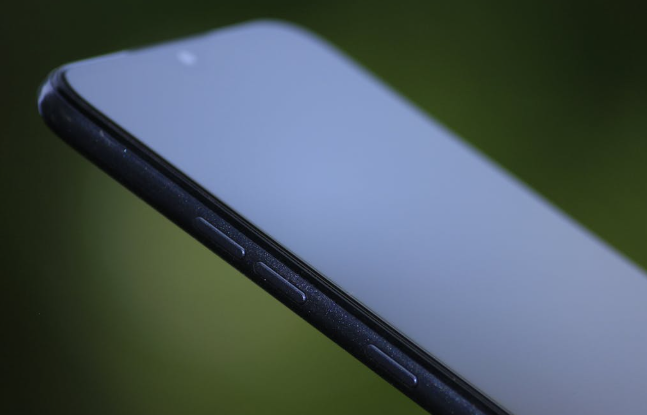
6 Smart Uses of Volume Buttons on Your Phone You Should Try
Most people use the volume buttons on their phones only to make music louder or quieter. However, modern smartphones include many hidden shortcuts and helpful functions tied to these simple buttons. Depending on your device and settings, volume buttons can improve accessibility, make photography easier, help during emergencies, and even speed up everyday tasks.
Whether you use an Apple iPhone or an Samsung Android device, learning these smart volume button tricks can help you get more out of your smartphone experience.
In this article, we explore six useful ways to use your phone’s volume buttons beyond simply adjusting sound.
1. Use Volume Buttons as a Camera Shutter
One of the most popular hidden features is using the volume buttons to take photos.
Why It’s Helpful
Using the on-screen shutter button can sometimes cause:
- Camera shake
- Blurry photos
- Awkward hand positioning
Pressing the physical volume button often provides a steadier grip.
What You Can Usually Do
Depending on the phone model, volume buttons may:
- Capture photos
- Start video recording
- Take burst shots
- Zoom in or out
This feature is especially useful for:
- Selfies
- Group photos
- Low-light photography
2. Quickly Silence Incoming Calls
When your phone rings during a meeting, class, or quiet environment, pressing a volume button can instantly silence the ringtone without rejecting the call.
Benefits
- Stops loud interruptions
- Keeps the call active
- Avoids awkward situations
The caller can still continue ringing on their end unless you decline the call completely.
This shortcut works on many modern smartphones.
3. Trigger Emergency Features
Some phones allow emergency functions to activate using volume buttons or button combinations.
Examples May Include
- Emergency SOS alerts
- Quick emergency calling
- Sending location to contacts
- Activating medical ID information
For example, many phones let users press side and volume buttons multiple times to trigger emergency assistance.
Important Tip
Check your phone’s safety settings to see which emergency options are available.
4. Control Music Without Unlocking the Phone
Volume buttons can sometimes help control media playback more conveniently.
Depending on the device or connected accessories, you may be able to:
- Pause music
- Skip tracks
- Adjust playback volume
This is useful during:
- Workouts
- Driving
- Walking
- Studying
Some apps and headphones expand these controls even further.
5. Use Volume Buttons for Accessibility Features
Volume buttons often support important accessibility tools designed to help users with visual, hearing, or mobility challenges.
Accessibility Uses May Include
- Magnifier shortcuts
- Screen reader activation
- Hearing assistance controls
- Zoom features
- Voice assistant access
Both Apple and Google include accessibility shortcuts tied to hardware buttons.
These features can improve convenience for many users, not just those with disabilities.
6. Take Screenshots Faster
On many smartphones, screenshots are captured using a combination of the power button and volume down button.
Why It’s Useful
Screenshots help save:
- Recipes
- Directions
- Conversations
- Shopping information
- Important documents
Once learned, the shortcut becomes much faster than navigating menus.
Bonus Tricks You May Not Know
Modern phones often allow customization of button behavior.
Customize Volume Button Functions
Some Android devices allow users to assign extra actions to buttons through settings or apps.
Examples may include:
- Launching the flashlight
- Opening the camera
- Activating voice assistant
- Controlling smart home devices
Customization options vary by device brand and software version.
Use Volume Buttons During Gaming
Many mobile gamers use volume buttons for:
- Quick muting
- Audio adjustments
- Improved one-handed control
Some gaming apps also allow custom button mapping.
Easier Reading and Media Control
When reading ebooks or articles, some apps allow volume buttons to:
- Turn pages
- Scroll content
- Navigate menus
This can make one-handed reading more comfortable.
Protecting Your Volume Buttons
Because volume buttons are used frequently, proper care can help them last longer.
Helpful Maintenance Tips
- Avoid pressing too forcefully
- Keep the phone clean
- Use protective cases carefully
- Avoid water exposure if the device is not waterproof
Dust and debris may sometimes affect button responsiveness.
Why Physical Buttons Still Matter
Despite advances in touchscreens and voice assistants, physical buttons remain valuable because they:
- Work quickly
- Provide tactile feedback
- Function without looking at the screen
- Assist during emergencies
Simple hardware shortcuts often improve speed and convenience.
Common Problems With Volume Buttons
Like any hardware component, buttons can occasionally malfunction.
Possible Issues
- Stuck buttons
- Unresponsive controls
- Accidental presses
- Dirt buildup
- Software glitches
Restarting the device or cleaning around the buttons may help minor issues.
How to Adjust Volume Settings More Efficiently
Most smartphones now separate volume categories.
Separate Controls May Include
- Media volume
- Ringtone volume
- Alarm volume
- Notification sounds
- Call volume
Understanding these settings helps avoid accidental loud notifications or missed alarms.
Are Volume Button Features the Same on Every Phone?
No.
Features vary depending on:
- Brand
- Operating system
- Software version
- Device settings
Manufacturers sometimes customize how hardware buttons behave.
Helpful Phone Brands With Advanced Button Features
Several smartphone companies offer useful button customization and shortcuts.
Popular Brands Include
- Apple
- Samsung
- Xiaomi
- OnePlus
Exploring settings menus may reveal hidden features already available on your device.
Safety Benefits of Learning Hardware Shortcuts
Quick hardware shortcuts can be useful during:
- Emergencies
- Driving
- Travel
- Outdoor activities
Being familiar with your phone’s physical controls may help you react faster when needed.
Common Myths About Smartphone Buttons
Myth 1: Volume Buttons Only Control Sound
Modern phones often assign many extra functions to hardware buttons.
Myth 2: Pressing Buttons Frequently Damages Phones Quickly
Normal usage is generally safe when handled properly.
Myth 3: All Phones Use the Same Shortcuts
Button combinations vary between manufacturers.
Myth 4: Hardware Buttons Are Becoming Obsolete
Physical controls remain important for accessibility and convenience.
Tips for Discovering More Hidden Features
If you want to explore more smartphone shortcuts:
Try These Steps
- Open accessibility settings
- Explore gesture settings
- Search “button shortcuts” in settings
- Check manufacturer support pages
- Update your phone software regularly
Software updates sometimes add new button functions.
Final Thoughts
Volume buttons are far more useful than many people realize. Beyond adjusting sound, they can help take better photos, trigger emergency features, silence calls quickly, improve accessibility, and make everyday smartphone use more efficient.
Learning these hidden shortcuts can save time, improve convenience, and help you use your smartphone more effectively. Whether you use an Apple iPhone or an Samsung Android device, exploring your phone’s settings may reveal even more helpful button features you did not know existed.